

Download Yoda – Free Star Wars Wallpaper App for Windows
Overview – Bring the Force to Your Desktop
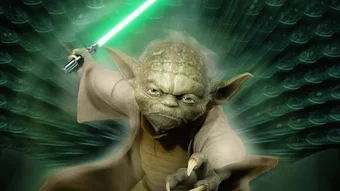
Yoda is a free wallpaper program created by Lucasfilm especially for Windows users who love the Star Wars saga. Designed with simplicity in mind, Yoda lets fans instantly replace their mundane desktop background with high‑resolution, officially licensed images of iconic characters, ships, and planets from a galaxy far, far away. The application runs in the background without hogging system resources, delivering a smooth and responsive experience even on older hardware.
Because it’s free, there’s no hidden subscription or intrusive ads—just a curated library of vibrant wallpapers that update automatically when new content is released by Lucasfilm. Whether you’re a seasoned Jedi, a curious Padawan, or simply appreciate stunning visual art, Yoda offers an effortless way to personalize your computer while staying connected to the ever‑expanding Star Wars universe. The user interface follows a clean, card‑based layout that makes browsing, selecting, and applying wallpapers a breeze.
In addition, the program supports automatic rotation, letting you schedule a fresh image each hour, day, or week, so your desktop never looks stale. All of this is delivered through a secure, regularly updated installer that respects Windows security standards, ensuring your system stays protected while you enjoy the iconic imagery.
Key Features That Make Yoda Stand Out
- Extensive Star Wars Library: Over 200 high‑definition wallpapers covering movies, TV series, comics, and original artwork.
- Automatic Updates: New images are downloaded automatically as Lucasfilm releases fresh content, keeping your desktop current.
- Smart Rotation Scheduler: Choose hourly, daily, or weekly rotation, or let Yoda pick a random image each time you log in.
- Lightweight Engine: Consumes less than 20 MB RAM and negligible CPU, ensuring smooth performance on Windows 7 through Windows 11.
- One‑Click Apply: Preview images in full screen and set them as wallpaper with a single click, without needing to navigate system settings.
- Multi‑Monitor Support: Seamlessly span a single image across multiple displays or assign different wallpapers per monitor.
- Secure Installer: Digitally signed by Lucasfilm, guaranteeing authenticity and protecting against malware.
- Custom Collections: Create personal folders of favorite images for quick access, or share collections with friends.
- Offline Mode: Once wallpapers are downloaded, they remain accessible without an internet connection.
- Free Forever: No hidden fees, subscription, or in‑app purchases; Yoda remains completely free for all users.
Installation, Usage & Compatibility Guide
Step‑by‑Step Installation
- Visit the official Lucasfilm download page and click the Download Yoda button.
- Save the
YodaSetup.exefile to a convenient location on your PC. - Double‑click the installer; Windows User Account Control (UAC) will ask for permission—click Yes to continue.
- Follow the on‑screen wizard: accept the license agreement, choose an installation folder (default is
C:\Program Files\Yoda), and click Install. - When the process finishes, launch Yoda from the Start menu or desktop shortcut.
First‑Time Use and Navigation
Upon opening Yoda, you’ll be greeted by a welcome screen that offers a quick tour. The main window displays a grid of thumbnail previews. Use the filter bar at the top to sort by Movies, Series, Characters, or Newest. Clicking a thumbnail opens a larger preview with details such as resolution, source, and release year. The Apply button instantly sets the selected image as your desktop background, while the Favorite star lets you add it to a personal collection.
Compatibility and System Requirements
Yoda is built for Windows 7, Windows 8/8.1, Windows 10, and Windows 11 (both 32‑bit and 64‑bit). Minimum requirements include a 1 GHz processor, 512 MB RAM, and a graphics adapter capable of 1280 × 720 resolution. For optimal experience—especially when using multi‑monitor setups—8 GB RAM and a DirectX 11‑compatible GPU are recommended.
The application integrates with the native Windows wallpaper engine, meaning you can still use lock‑screen settings, dark mode, and other personalization features without conflict. Yoda also respects corporate group policies; if your organization disables third‑party wallpaper changes, the app will automatically detect the restriction and run in “view‑only” mode.
Pros, Cons, FAQ and Final Verdict
Pros & Cons
- Pros:
- Completely free with no hidden charges.
- Officially licensed Star Wars imagery ensures high quality.
- Lightweight and runs silently in the background.
- Automatic updates keep the wallpaper library fresh.
- Supports multi‑monitor setups and offline mode.
- Cons:
- Limited to Windows—no native macOS, Android, or iOS version.
- Customization options (e.g., custom colors, overlays) are basic.
- Requires occasional internet connection for updates.
Frequently Asked Questions
Is Yoda safe to download?
Yes. Yoda is digitally signed by Lucasfilm and distributed through the official Lucasfilm website, guaranteeing that the installer is free from malware or adware.
Can I use Yoda on a Windows Server?
The program works on Windows Server editions that share the same desktop experience as Windows 10/11, but it’s primarily targeted at consumer desktop versions.
How often are new wallpapers added?
New content is released roughly every 1‑2 months, coinciding with official Star Wars media releases, announcements, and special events.
Does Yoda consume a lot of bandwidth?
Initial download of the full library can be up to 300 MB, but after the first sync, only incremental updates (typically under 10 MB) are downloaded.
Can I create my own wallpaper collections?
Yes. The “Favorites” feature lets you bookmark any image, and you can export these collections to share with other Yoda users.
Final Verdict – Should You Download Yoda?
For Star Wars enthusiasts who want a hassle‑free way to keep their desktop looking epic, Yoda delivers exactly what it promises: a free, secure, and constantly refreshed wallpaper experience. Its lightweight footprint, automatic updates, and multi‑monitor support make it a practical choice for both casual fans and power users. While the lack of cross‑platform versions and limited advanced editing tools may deter some, the core functionality is more than sufficient for most Windows users. If you’re ready to let the Force inspire your everyday computing, click the download button below and let Yoda transform your screen.







